
BSC Metamask setup guide
Here is a quick guide to set up your Metamask wallet for BSC. If you don't already have Metamask wallet installed you can visit browser extension marketplace
Click import wallet if you have an existing wallet.
If creating new wallet, set up your password and write down and store your seed phrase somewhere safe.
Next step is adding BSC network, in order to do it, click on Settings -> Networks -> Add network
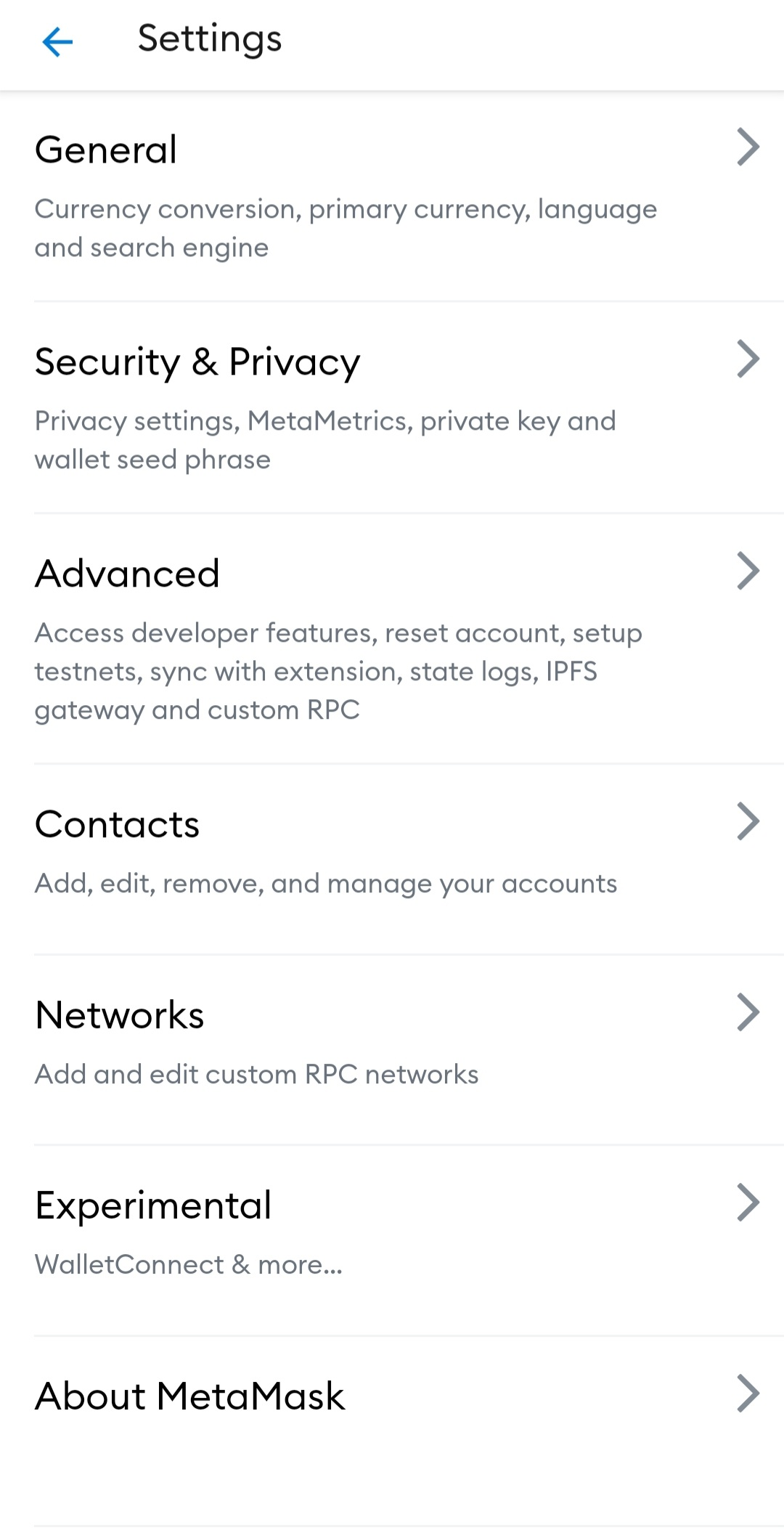
Input network details as follows:
Network Name: BSC Mainnet
New RPC URL: https://bsc-dataseed1.binance.org/ or https://bsc-dataseed2.binance.org/
ChainID: 56, or 0x38 if 56 doesn’t work
Symbol: BNB
Block Explorer URL: https://bscscan.com/
Click on add and your new network is set.
You can toggle between desired networks by clicking on top of your wallet.
In order to initiate and pay for any transaction on BSC you need to have BNB in your wallet, much like ETH on Ethereum blockchain